
Account Deletion
Request to permanently delete your MamaRide account and associated data
Important Notice
Account deletion is permanent and cannot be undone. Once deleted, you will lose access to all your ride history, payment information, and account preferences.
Step-by-Step Guide (with screenshots)
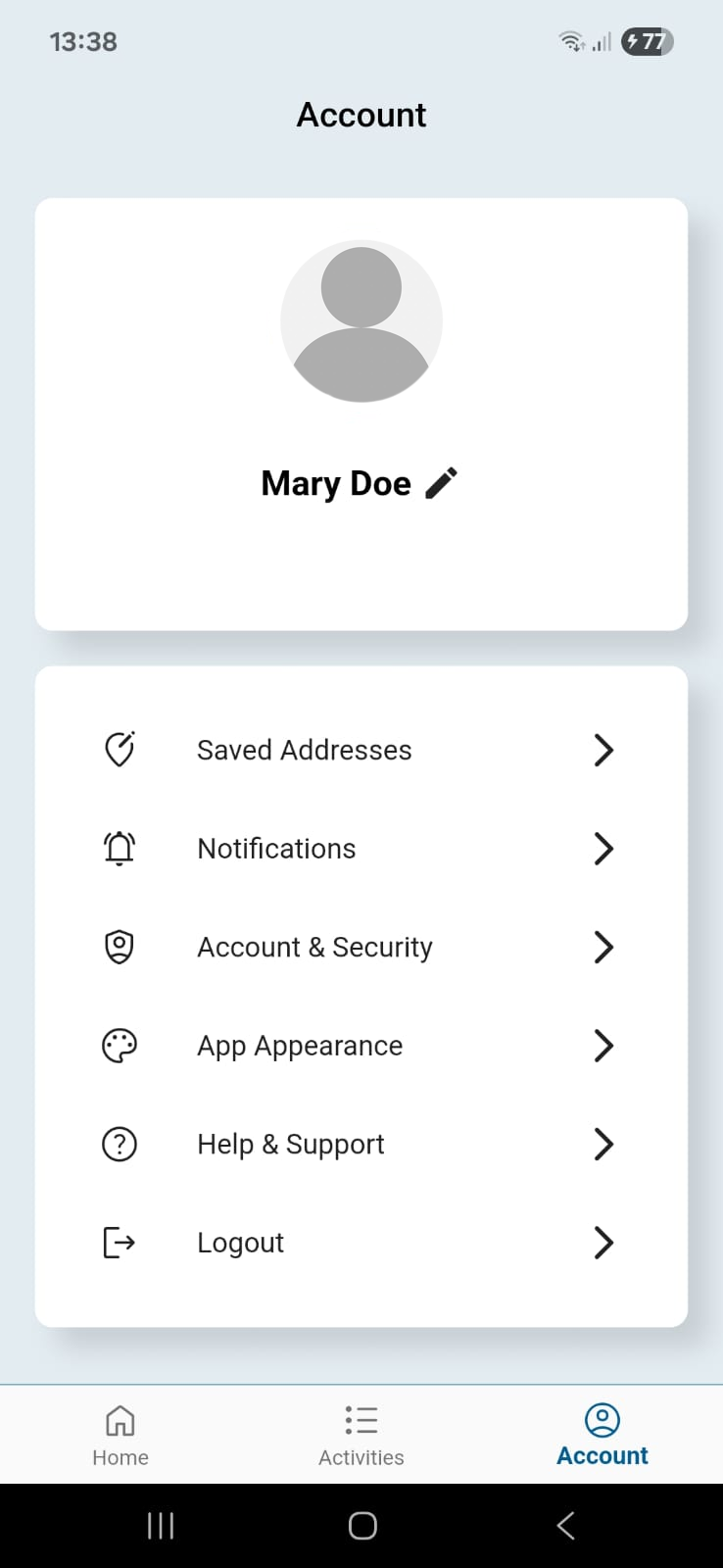
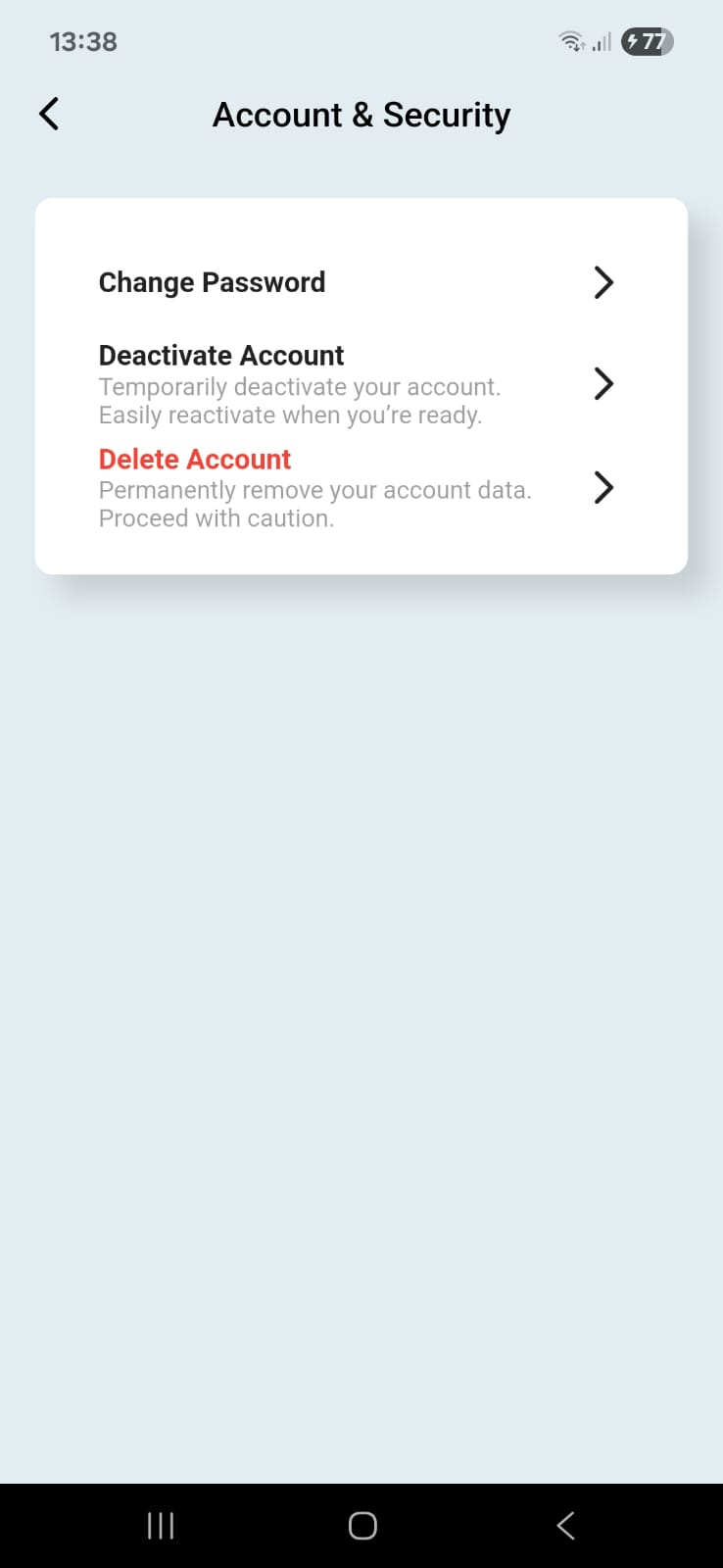
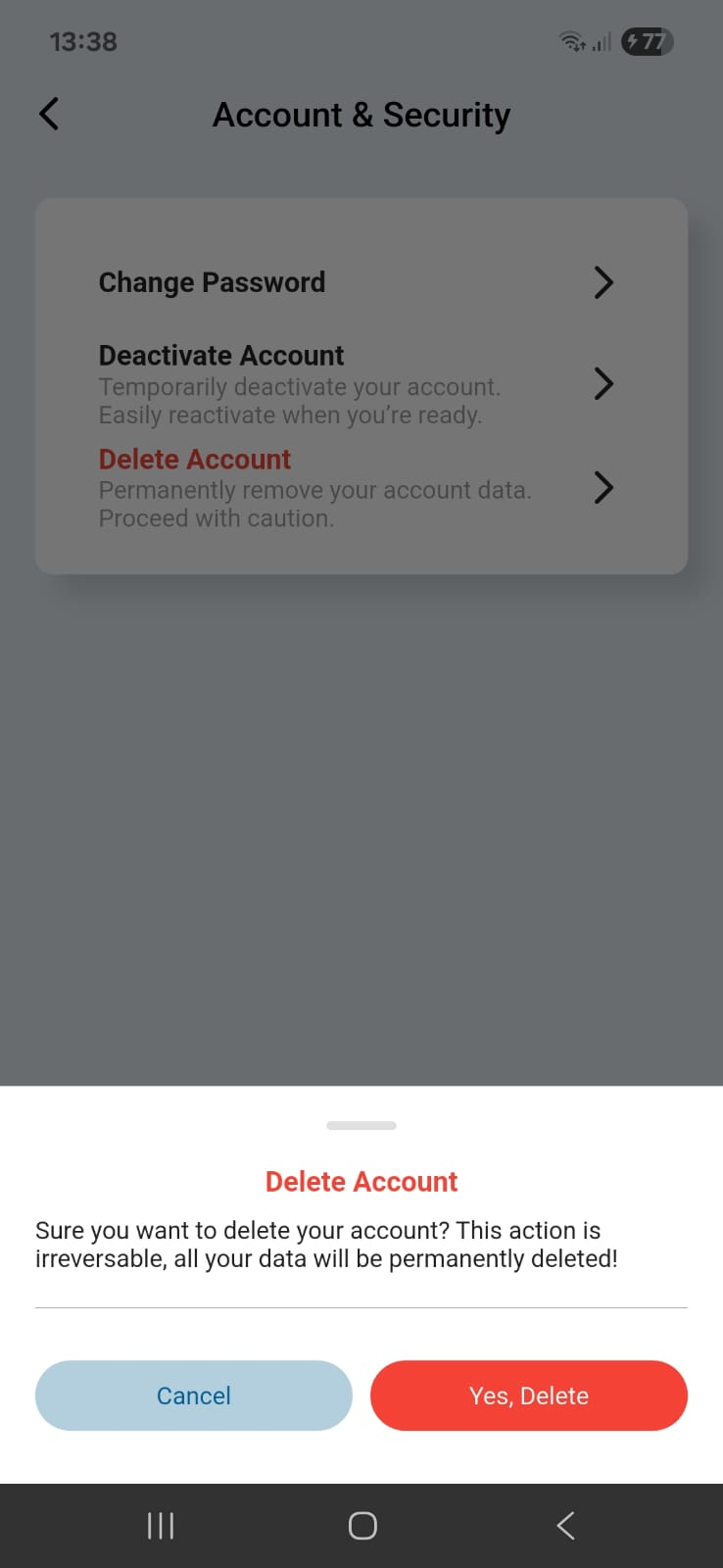
Tip: If you only need a break, choose Deactivate Account instead. You can reactivate later by signing back in.
What Gets Deleted
When you delete your MamaRide account, the following information will be permanently removed:
- Profile data (name, email/phone, profile photo)
- Saved addresses and preferences
- Access tokens and device sessions
- Ride history (unless retained for compliance, see below)
- Payment information (card details removed immediately)
After Deletion
- You will be signed out and can no longer use the account.
- Residual backups may persist for a short period but are automatically purged on rotation.
- We may retain anonymized analytics that cannot identify you.
- Ride history and payments are removed unless we must retain certain financial records for up to 3 years to comply with law and prevent fraud.
Need Help or Want to Delete by Email?
Contact our Data Protection Officer:
Email: support@mamaridekenya.com
Phone: +254 118 315612
Compliance
Processing of deletion requests complies with the Kenya Data Protection Act (2019), the African Union Convention on Cyber Security & Personal Data Protection (Malabo Convention), and Google Play Data Safety requirements.
What We Keep (Legal Requirements)
Due to legal and regulatory requirements, we may retain certain information for a limited period:
- Transaction records for tax and accounting purposes (7 years)
- Safety and security logs for fraud prevention (5 years)
- Dispute resolution records until matter is resolved
This data is stored securely, anonymized where possible, and will be permanently deleted after the required retention period.
How to Delete Your Account
You can request account deletion through the following methods:
Method 1: Through the App
- Open the MamaRide app
- Go to Settings → Account Settings
- Scroll down and tap "Delete Account"
- Follow the verification steps
- Confirm your deletion request
Method 2: Email Request
Send an email to our support team with the subject line "Account Deletion Request"
Email support TeamPlease include your registered phone number and email address for verification purposes.
Method 3: WhatsApp Support
Contact our support team via WhatsApp and request account deletion
WhatsApp SupportProcessing Timeline
After you submit your account deletion request:
- 24-48 hours:Initial review and verification of your identity
- 7-14 days:Complete deletion of all personal data from active systems
- 30 days:Removal from backup systems and confirmation email sent
You will receive email notifications at each stage of the deletion process.
Not Ready to Delete?
If you're concerned about privacy or security, consider these alternatives:
- •Deactivate temporarily: Take a break without losing your data
- •Update privacy settings: Control what data we collect
- •Delete specific data: Remove only ride history or payment methods